Showing posts with label Apps and Tricks. Show all posts

Tuesday, 23 April 2013

11 Lockscreens for GALAXY Y

Now every time to get a lock screen we need to search for various apps in the market, or search for flash able files on the internet. Buy i, personally do not like them because of two reasons-
1. We need to install one app for one ONE lockscreen which is quite messing up.
2. Most of them (all most all of them) are advertisers. Annoying Ads in notification drawer, on home screen, which is very irritating.

But a member of XDA-developers developed a very awesome flash able app which contains 11 pure lockscreens. (rings, bubbles, swipe etc.) This app is developed by SaM-RoN of XDA, some of you may be knowing this member because he always made surprisingly awesome things. (Many thanks and credits to him)

This app is easy to install, you do not need to flash any files other than the app, no modifications or changes on system files is needed too. The app works with all roms (stock and custom)

But, as you know that galaxy Y have a compulsory lock screen (The blue wall we need slide) even though we choose "none" in system and security. This leads to a small problem that is, we have to unlock our galaxy Y lock first than the custom lock appears, and no one likes to lock their phone twice. well the solution to this problem is very simple, all you have to do is to install an app called "No LOCK" The app is few KBs in size and free in market.

Download Multi-Locker: Click here.

How to install-
1. download the zip file from the link above.
2. Place it on your sdcard.
3. switch off your phone
4. now start your phone in recovery mode by pressing Volume+ key, home key, and lock key together.
5. now select apply update from sd card.
6. Now select CWM recovery.zip (If you don't have CWM already, download it from here)
7. Now go to "mounts/storage" and make sure everything is mounted (It should appear like- Unmount xxx)
8. now press back and select install zip from sd card.
9. choose zip from sdcard.
10. now select the multilocker zip file you pasted.
11. once installation completes, press back and select reboot.
12. Thats IT! ENJOY!
Click image for larger version

Name: set_icon1.png
Views: 3111
Size: 106.0 KB
ID: 1896413   Click image for larger version

Name: set_icon2.png
Views: 3078
Size: 59.0 KB
ID: 1896414   Click image for larger version

Name: set_icon3.png
Views: 2973
Size: 82.0 KB
ID: 1896415   Click image for larger version

Name: set_icon4.png
Views: 2986
Size: 73.6 KB
ID: 1896416   Click image for larger version

Name: set_icon5.png
Views: 2857
Size: 97.8 KB
ID: 1896418  

Click image for larger version

Name: set_icon6.png
Views: 2526
Size: 50.3 KB
ID: 1896419   Click image for larger version

Name: set_icon7.png
Views: 2966
Size: 65.4 KB
ID: 1896420   Click image for larger version

Name: set_icon8.png
Views: 2347
Size: 78.2 KB
ID: 1896421   Click image for larger version

Name: set_icon10.png
Views: 3173
Size: 95.9 KB
ID: 1896423   Click image for larger version

Name: SC20130420-012530.png
Views: 2374
Size: 107.7 KB
ID: 1896424  

Click image for larger version

Name: set_icon9.png
Views: 2345
Size: 92.9 KB
ID: 1896432  

Monday, 11 March 2013

How to play Gameboy advance games on galaxy y (gameboid)


Everyone like the gameboy advance because of old legendary Pokemon games. I myself played almost every game but now sometimes i want to play it again but gameboy has become history. 
But now you can play all gameboy advance games on your android phone!

Now before we begin, let's download some stuff.

1. Download the GameBoid app- HERE

2. In order to play the games, we will need the BIOS, so download that aswell, put it somewhere in your SD card and extract the rar file using WinRAR to get a .bin file, link: http://www.emuparadise.me/biosfiles/gbabios.rar

3. Watch the video for complete installation instructions-


You can use these sited to download ROMS-
www.freeroms.com 

Feel free to post any questions if you are having trouble setting this up
.


How to play Mario. Contra and other NES games on android phone.


So I'm pretty sure most of you like me miss your childhood days where you used to play all these oldschool games on your old game systems such as the Nintendo.
Now ou can play your old school legend games like contra and mario on your android phone.

Here with this emulator.
Download the emulator - CLICK HERE
Video tutorial-


You can use these sited to download ROMS-

Sunday, 10 March 2013

How to take screen shots on android phones

Taking screen shots or capturing screen in really easy on android phones. And for that you do not even need to install any Application. You just have to press the Lock key and home key together! 

See how in the video-

Saturday, 9 March 2013

get more free RAM using simple tweak


This trick to get free ram is a tweak. It requires root as to have access to build.prop file,
So for the tweak-
1. download any build.prop editor, i used rom toolbox, you can get it from the market, its free.
2. Open the build.prop file and select edit.
3. Now scroll to the bottom of the build.prop file and add the following-ro.HOME_APP_ADJ=1
4. Now save the file and reboot your phone, and you are done.

Now whenever you will clear the ram it will go down to 100 MB and sometimes even 80 MB and than rise a bit to 134 MB. While before the tweak it just go max to 160 MB and than rises to about 210 MB.

Tutorial Video-


Monday, 4 March 2013

How to play Java games on Samsung Galaxy Y


If you miss your old JAVA games which you use to play in you old days, Then follow the procedure-

  1. Download Jbed.zip - Click here. and put it anywhere on our SD caard.
  2. Download CWM.zip - Click here and paste it directly on your SD card. (Not in any Folder)
  3. Now you need to got to the recovery mode. for that first switch of you phone and than press Volume up+Home button+Lock key together.
  4. Touch screen in disable in recovery mode so you have to use volume up and down keys to scroll and home button to make selections.
  5. In recovery mode, select "Apply update from sd card".
  6. Now search the cwm.zip file which you have pasted and select it. Now phone will boot into Clockworkmode recovery.
  7. In clockworkmode recovery select "Install zip from sd card"
  8. Select jbed.zip whcih you have pasted and press home key (select it) and select "YES"
  9. After Installation completes, press back putton and select "Reboot system now"
  10. Now after phone starts, look for java icon (A Cup) and open it.
  11. See the video tutorial if you need video assistance and how to run java games-
Video-


If you like the game i am playing in the video, you can let me know :-)

Wednesday, 27 February 2013

NEMESIS ROM Installation Tutorial [Video] (No boot lops or software bricks)


NEMESIS ONE MOST ADVANCED CUSTOM ROM FOR GALAXY Y


Here is the correct procedure to install this ROM. (There are many incorrect tutorials which leads to boot loop and software bricks)-

Download NEMESIS ONE.aroma.signed.zip- http://www.mediafire.com/?mlzcfcdh5jrfbal
Download cwm_madteam- http://www.mediafire.com/?9835kooe7r2mtnf
download nemesis fusion drivers- http://www.mediafire.com/?4pb8coles1l0ypm (not needed)

Video-


Wednesday, 15 August 2012

Tips to get most of your ANDROID battery


The most common disadvantage of ANDROID phone is their bettery life.

Here are some tips you can use to get most of your battery life-

1. Keep wifi, bluetooth and other wireless off when not in use. This will save your android battery up to 30%

2, Don't use Live wallpapers. I know they are so awesome but they eat upto 15 % of your battery

3.Keep screen time out minimum as displaying also eats battery.

4. Use earphones when listening music alone. Do no use loud speakers.

5. Keep adjusting the brightness to get the most!

Tuesday, 14 August 2012

Change ICONS of your ANDROID

Do not like your stock icons or got bore with them?
Here i bring you ICON PACKS for your ANDROID.

Ice Cream Sandwich ICON PACK- http://www.mediafire.com/?hg1m73g4n3sojtb

Icon pack 1- http://www.mediafire.com/?0oz1dkwtga24x6t

Galaxy S2 ICON PACK-http://www.mediafire.com/?dpwl3m5gsd8lnz5

NOKIA style ICON PACK-http://www.mediafire.com/?4btul2b33z36fsy

Just download any of the above icon pack of your choice and follow the installation instruction-

1. Paste the .zip of your icon pack directly on you sdcard
2. switch off your phone
3. start it in recovery mode by pressing = Volume up + home + lock button together.
4. select "apply update from sdcard" (use volume keys to scroll and home button to select)
5. select the .zip of you icon pack
6. Done!


If you don't like this icons .. you can always revert back by flashing thiszip file Below of your respective firmwares and Roms ... !! Back to Default theme or Stock theme !.... for stock rom its touchwiz and.... for creeds rom its creeds Home !!


File Type: zip
File Type: zip
File Type: zip
File Type: zip


Monday, 13 August 2012

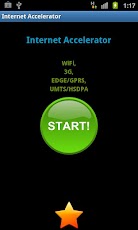
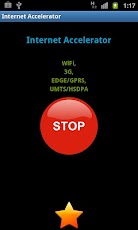
Internet Accelerator


Internetr Accelerator

Mediafire LINK-http://www.mediafire.com/?6am5zmjvh8a8a72


          OR


Google PLAY-LINK


Internet Accelerator

 
Internet Accelerator - The Best App
Speed ​​up internet, simply press the green button.
It works on 2G, 3G, EGDE, GPRS, UMTS, HSDPA, LTE, WIFI ...
Creating an app takes time and money, In order to keep creating great (and free!) apps, we are using a new search service to monetize our apps. With this service we are able to create more great apps for you guys. This option bundles a few search points (icon, bookmark and homepage) for you to use. You can erase these easily and with no effect to our app. Thanks!

Sunday, 12 August 2012

How to play Tekken 3 on any ANDROID device


The most Played game in history of Play station, You can now play on your Android.


First Download FPse + bios from HERE

Tutorial-
1.Install FPse
2.skip everything now press the menu key, the left side key, A pop up appears, select settings, there will be many options like video, system, input etc.
3. Now select system- then TAP on bios, now locate the bios which you downloaded and select it
4.choose default config.
5. Save it

Now download the Tekken 3 rom from HERE

1. Extract the 7z file
2. Open FPse and locate the game file (the iso file which you get after extracting the 7z file) and select it.
3. Game starts! ENJOY!!

Subscribe on YOUTUBE and LIKE on FACEBOOK

Saturday, 11 August 2012

MP3 Cutter

Cut the best part of your MP3 song and use it as your ringtone.
The cut results are stored in "sdcard/media/audio/".
Mediafire Link- LINK
     OR
Google PLAY- LINK
 

Monday, 30 July 2012

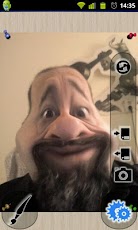
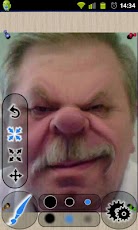
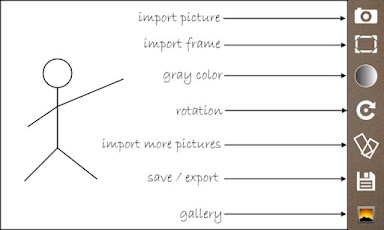
Photo Warp

This app will melt your face!
Just take a picture then warp, bend and distort it to your heart's content.
Make yourself skinnier, buff yourself up or enlarge any body parts that might need some enlargement ;) Or go crazy and have fun putting several pounds of fat on your friends or giving them the biggest cheese-eating grin you can imagine. With Photo Warp, you too can be an instant, super-cheap plastic surgeon! How hilarious can you be?

Mediafire Link-LINK


          OR


Google PLAY-LINK


Features:
- Warp tool (Moves pixels around as you drag the cursor),
- Pinch and Bloat tools (Move pixels towards/away from the center of your brush)
- The unique Reconstruct brush (gradually resets the picture to its original state as you brush over it)
- Twirl clockwise and counterclockwise tools (rotates pixels around the center of brush)
- Set brush size and hardness
- Fast and responsive (real-time) manipulation even on older devices!
- Use any picture to warp whether it's from your camera or any photo from your device
- Save pictures to your device or SD card
- Share your creations online
- The much requested feature: you can now open pictures from the gallery app ;)
- Installing to SD card is supported
- Compatible with Honeycomb (Android 3.x) devices

Thursday, 26 July 2012

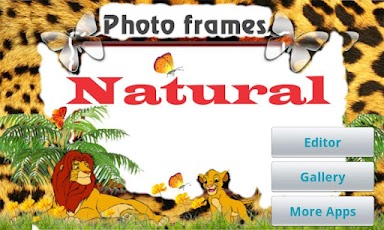
Natural Photo Frames


Natural Photo Frames


Mediafire -LINK


       OR

Google PLAY- LINK


*****************BEST NATURAL PHOTO FRAMES*******************
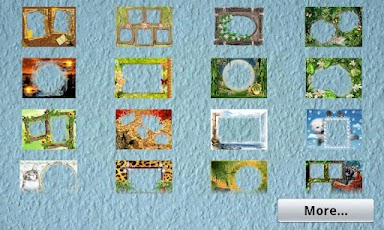
More than 70 high resolution frames about natural such as: animals, flowers, forest, tree, insect...frames.

Special features:
- More than 1 photo in 1 frame.
- Download more frames easily.
- Share photo via facebook, twitter, bluetooh... easily.

Tuesday, 24 July 2012

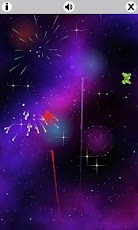
Fireworks Touch

beautiful display of amazing fireworks with explosions + sound FX!
"Enjoy Wonderful Fireworks on Android with Realistic Effects"

Mediafire Link-LINK

      OR
  
GooGle PLAY-LINK

LIKE GALAXY Y NATION ON FACEBOOK!


beautiful display of amazing fireworks with explosions + sound FX!


With this awesome Fireworks Touch app you will get hours of fun and amusement tapping and watching cool fireworks for any occasion like parties or 4th of july.
Features:
♥ The best realistic firework + sound effect
♥ New years eve mode
♥ Live wallpaper mode
♥ Automatic mode for viewing
♥ Full Multi touch support
♥ 10 Additional funny fireworks shapes
♥ Can be installed on SD Card

Monday, 23 July 2012

Viber : Free Calls & Messages

Viber : Free Calls & Messages


Download link- LINK


Google PLAY- LINK


Viber : Free Calls & Messages

Viber - Be Free to Communicate. Call and text anyone, anywhere.
Viber lets everyone in the world connect. Freely. More than 40 million Viber users call, text, send photos and locations with each other worldwide - for free.
Viber is available for Android and iPhone®. We are always introducing new features, platforms and possibilities.
Viber is completely free with no advertising


Related Posts Plugin for WordPress, Blogger...